Sam’s journey toward financial freedom just took a giant leap forward.
After starting with freelance content creation using ChatGPT, Sam discovered a new, high-demand opportunity: helping YouTube creators produce content and starting his own YouTube Channel. With video content ruling the internet, creators are often overwhelmed by the time it takes to script, create, and optimize their videos. Sam realized he could fill this gap, and with the help of AI tools, he turned YouTube video creation into a profitable venture.
If you’ve ever wondered how you can get started, this blog will guide you through the steps Sam followed, the tools he chose, and the tips and tricks that made his business a success.
Why YouTube Video Creation?
- High Demand: Over 500 hours of video content are uploaded to YouTube every minute (Statista). Creators need help to stand out.
- Recurring Clients: Creators need frequent uploads, creating a steady income stream.
- Scalability: With the right tools, Sam could manage multiple clients without sacrificing quality.
“Every great opportunity starts with solving someone else’s problem.”
How Sam Started: Step-by-Step Guide
1. Researching Trends and Topics
Sam began by understanding what topics were trending on YouTube. He used:
- Google Trends to discover popular searches.
- YouTube Trends to see what creators were focusing on in his chosen niches, like tech, fitness, and lifestyle.
- ChatGPT to brainstorm video ideas.
Example Prompt for ChatGPT:
“What are the top 5 trending topics for tech channels in 2024?”
2. Writing Engaging Scripts with ChatGPT
Scripts are the backbone of any YouTube video. Sam used ChatGPT to write engaging, audience-focused scripts tailored to each client’s and his audience’s style and tone.
Why ChatGPT?
- Cost: Free (basic use) or $25/month for ChatGPT Plus.
- Speed: Generates polished scripts in seconds.
- Customizability: Can adjust tone and length based on the audience.
Example Prompt:
“Write a 3-minute YouTube script about beginner fitness tips with a friendly and motivational tone.”
3. Creating Thumbnails with Canva
Sam knew that thumbnails make or break a video’s click-through rate. He used Canva to design eye-catching thumbnails with vibrant colors, bold fonts, and striking imagery.
Why Canva?
- Cost: Free version available; Pro plan starts at $35/month.
- Ease of Use: Drag-and-drop editor perfect for beginners.
- Templates: Thousands of pre-designed templates for YouTube thumbnails.
Tips for Thumbnails:
- Use bold, readable fonts.
- Add faces when possible—they increase clicks by 30% (source: HubSpot).
- Use high-contrast colors to grab attention.
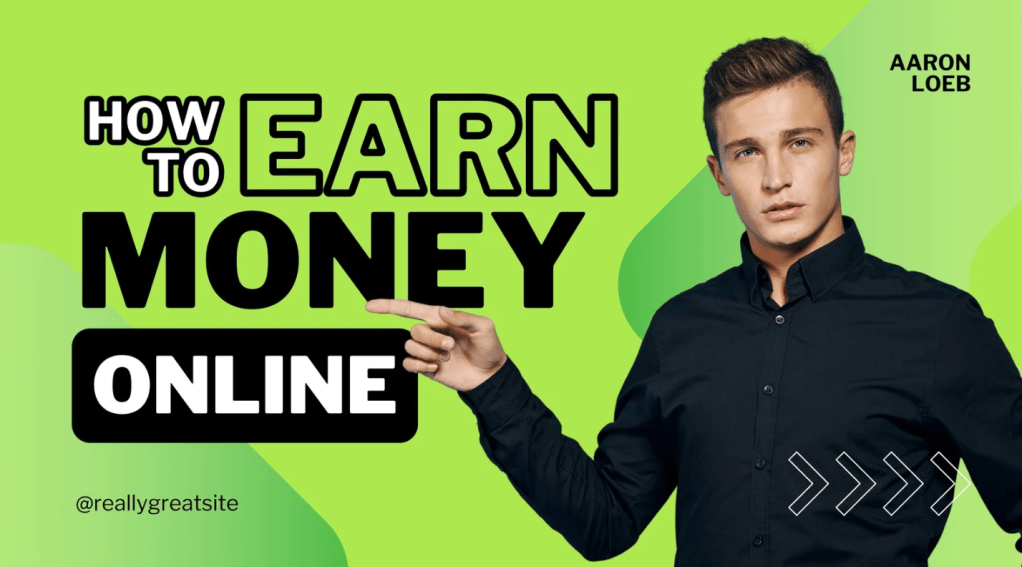
Sample Canva Thumbnail
4. AI Video Creation with HeyGen and Synthesia
For creators who didn’t want to appear on camera, Sam offered AI-generated videos using HeyGen and Synthesia.
Why HeyGen?
- Cost: Starts at $24/month for creator plans.
- Features: Creates videos with AI avatars and customizable voiceovers.
- Time-Saving: No need for costly filming setups.
Why Synthesia?
- Cost: Starts at $18/month for individual creators.
- Features: 125+ AI avatars, voiceovers in multiple languages.
- Quality: Professional-looking videos without the need for actors or studio equipment.
Example Use Case:
Sam created a video titled “5 Quick Office Hacks” for a productivity YouTuber using Synthesia, complete with an AI avatar delivering the script generated by ChatGPT.
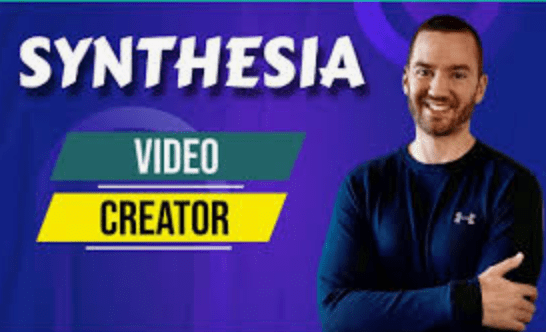
AI Avatar Video Sample by Synthesia
5. Adding Professional Touches with Envato Elements
To make videos stand out, Sam used Envato Elements to add stock footage, music, and transitions.
Why Envato Elements?
- Cost: $16.50/month (annual plan).
- Unlimited Access: Download unlimited stock assets.
- High-Quality Content: Library of professional-grade visuals and sound effects.
Tips for Using Envato Elements:
- Choose music that matches the tone of the video.
- Use short, impactful clips to maintain viewer engagement.
- Add smooth transitions to keep the flow seamless.
Tips and Tricks for Success
- Start Small: Begin with one client or start with 1 video to perfect your skill before scaling.
- Build a Portfolio: Use ChatGPT and AI tools to create sample scripts and videos showcasing your capabilities.
- Engage Clients: Approach small YouTube creators or startups who can’t afford large production teams.
- Stay Consistent: Deliver work on time and maintain quality to build trust.
- ∫ Create Engaging Video by learning from your competitor videods.
“Success isn’t about doing everything—it’s about doing the right things with the right tools.”
Key Takeaways
Sam’s journey to financial freedom took a major leap with YouTube video creation. By using AI tools like ChatGPT, Canva, HeyGen, Synthesia, and Envato Elements, he scaled his business, solved creators’ problems, and built a steady income stream with his YouTube Channel.
“Destiny favors the brave who dare to try.”
Call to Action
Ready to start your own journey? Reach out to me with a comment in this blog to help you start your YouTube Journey. Don’t forget to like, share, and subscribe for more blogs.

 The Book Lovers
Leave a reply to muhammadmuzaffardc9747f2cc Cancel reply